1
/
11


Free Shipping over $49.99
14-Day Return Service
Customer Support
1-Year Warranty
Falcon2 40W Laser Engraver and Cutter Extension Kit
$839.00
$877.97
-$38.97
● Cuts 20mm cork and 0.15mm stainless steel in one pass
● Cutting speed up to 25000 mm/min
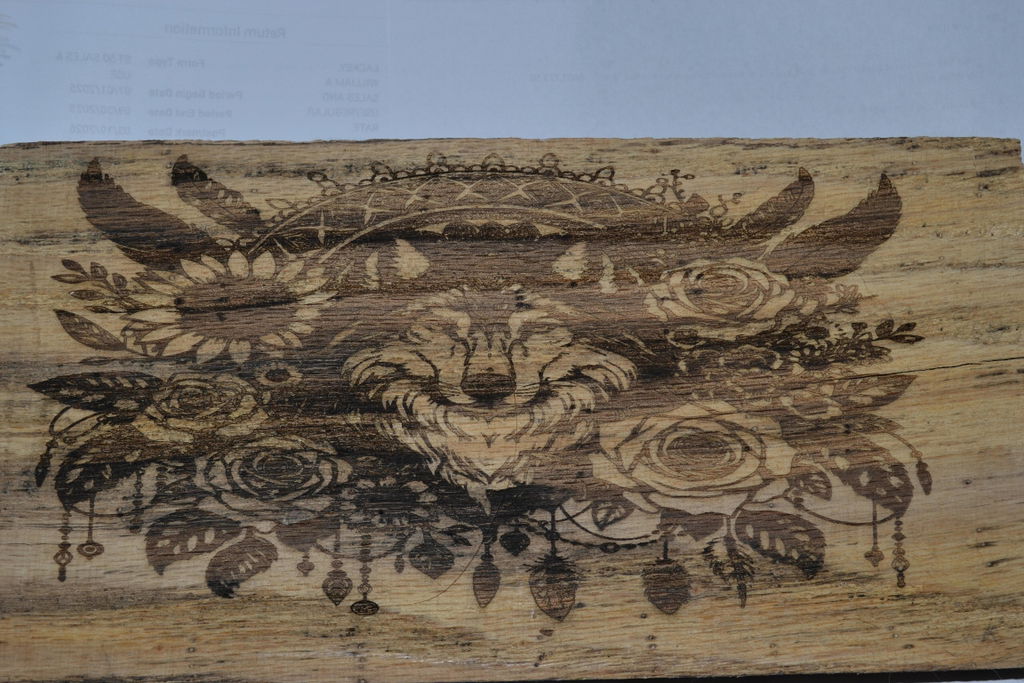
● Works on mirror stainless steel, ceramics, and opaque glass
● Durable anodized aluminum alloy structure for stability
● Supports TF card use and works with LightBurn and LaserGRBL
Quick Start Guide 👉: Creality Wiki
Download Free Software👉: Falcon Design Space
● Cutting speed up to 25000 mm/min
● Works on mirror stainless steel, ceramics, and opaque glass
● Durable anodized aluminum alloy structure for stability
● Supports TF card use and works with LightBurn and LaserGRBL
Quick Start Guide 👉: Creality Wiki
Download Free Software👉: Falcon Design Space
Options
SAVE $680.00
SAVE $57.96
SAVE $78.98
SAVE $38.97
SAVE $20.00
Free Shipping over $49.99
14-Day Return Service
Customer Support
1-Year Warranty
Use discount code
This is an introduction to the discount code
Code:
WELCOME55% OFF


Extension Kit
$839.00
$877.97
-$38.97

Creality Falcon2 40W
Mighty but Precise
Pro-tech for Pro-work
 40W Strong power
 Adjustable light beam
 25000mm/min Ultra-fast
 Motion accuracy 0.0125mm
40W Strong power
Motion accuracy 0.0125mm
40W Strong power
 New integrated air assist
25000mm/min Ultra-fast
Motion accuracy 0.0125mm
Adjustable Light beam
New integrated air assist
25000mm/min Ultra-fast
Motion accuracy 0.0125mm
Adjustable Light beam
 Triple monitoring systems
 Five safety protections
 Magical colorful engraving

Meet the super power of Creality Falcon2 40W together
40W Most Powerful So Far
Based on the latest FAC spot compression technologgy,
8 powerful 5.5W laser diodes are compressed to
increase the laser power to 40W.

Wood
20mm

Black acrylic
30mm

Stainless steel
0.15mm

Add Some Colors to Your Works, and Your Life
When the stainless steel is heated by the
super powerful laser beam, the metal surface
will physically react and produce hundreds of
colors, bringing your works to life.
Adjustable Light Beam
One head for two uses, no need to replace Convenient and fast
Creality Falcon2 40W
Others

40w
Cut Thicker and Faster

22w
High Precision, Finer Slitting

Super Power of Speed 25000mm/min
Creality Falcon2 40W
Others
Creality Falcon2 40W
Others
Make sure your cuts effective with more precise cutting edge
Creality Falcon2 40W
Others
Stay away from burnt black and rough
The amount of air can be adjusted automatically with the LightBurn
setting

Creality Falcon2 40W: With auto air assist


Others: Without auto air assist
Special five safety protection features will protect your operation
safety
Five Safety Protections
Bidirectional Limit Switch
If the laser head hits the boundary, the machine will stop automatically and a buzzer will sound an alarm.


Active Stop Function
The machine will stop working in case
of accidental tilt, flip or drop, with the
buzzer and indicator sending alert.

Security Lock Design
Professional use only.

Emergency Stop Button
If an emergency occurs during operation, you can
also manually stop the machine immediately.

Laser Protective Cover
Made of high-efficiency colored filter glass material, the
protective cover around the laser head will effectively
prevent the laser from dazzling the eyes.
Triple Monitoring Systems
(Note: The alarm function is disabled by default. Please enable it in the settings if needed.)


Airflow Monitoring
Indicates the current airflow volume. It enables you
to adjust the airflow based on your engraving needs.

Lens Monitoring
Built-in lens monitoring system will trigger an alarm
when the lens is dirty enough, which helps avoid lens
breakage and frequent replacement.

Flame Monitoring
When a flame is detected, the indicator will flash
red with an alarm and the machine will stop
immediately.
Small gadgets to help you complete efficient focusing in 3 seconds
1.Place the multi-level fixed-focus block betvween the module and the
processed material
2. Lower down the laser module to touch the corre-sponding position
of the multi-stage focus bar
3.Use the right screw to lock it.
Get the perfect machine in a few easy steps

Support Offline Creating
Just insert a TF card, and you can feel free to create anytime,
anywhere.


Offline Dynamic Preview
Position and adjust precisely without connecting to a ccomputer
Short press to fine-tune 1mm, and long press to adjust 10mm/s.

Outstanding Motion Stability
The full aluminum alloy structure design brings a more solidmachine,
ensuring exceptional stability even in high-speed operation.

Integrated Rail & Durable Wheels
Integrated sliding rail keeps the running highly synchronizeed
while the U-shaped wear-resistant wheels make moticon more stable.

Silicone Foot Pads
The newly designed foot pads help it stand firmly on the table,
ensuring 360-degree non-slip operation.

Take the Experience Further
There are 3 adjustment holes on the bottom of the maachine to suit
different table sizes.

Silicone Pads
Can be fine-tuned manually to suit uneven tables.

Adjustable Risers
Multi-segment equal-length risers to increase the height,
for engraving skateboards, basketballs and other taller
objects.(Note: 8 sections of risers are provided.)

Integrated Cable Storage
Keep it secure and well-organized.
Unlock Your Creativity with Creality Falcon2 40W
From DIY home projects to maker education, from jeweelry
customization to business signage,
whatever you can think of, you can make with Falcon2440W

Specifications
Machine Power: Max.240W
Certification: IEC60825 , FDA , CE , ROHS
, FCC , UKCA , UL Report , PSE etc.
Laser Module Output Power: 40W
Operating System: Windows, Macos
Laser Spot: 0.1mm/0.15mm
Control Software: LightBurn、LaserGRBL、Falcon Design Space
Wavelenth: 455±5mm
File Type(s): jpeg , jpg , png , bmp ,
svg , dxf , etc
Engraving Speed: Max. 25000mm/min
Net Weight: 7.4kg
Working Area: 400mm*415mm
Gross Weight: 10.94kg
Voltage Input: 100-240V~ 50-60Hz
Product Size (L * W * H): 664*570*193mm
Voltage Output: DC 24.0V 9A
Package Size (L * W * H): 725*625*150mm
Connecting Interfaces: TF Card,
Type-C
Material for Engraving: Cardboard, Felt,
Cardboard, Wood, Bamboo, Leather, Fabric, Acrylic, Brushed StainlessSteel, Dark Anodized
Aluminum, Painted Metal, etc.
Material for Cutting: Cardboard, Felt,
Cardboard, Bamlboo, Leather
Specs
Safety Certifications
IEC60825、FDA、CE、ROHS、FCC、UKCA、UL Report、PSE
Optical Power
40W
Laser Source
Diode Laser
Product Dimensions
664*570*193mm
Engraving Area
400mm*415mm
Net Weight
7.68kg
Laser Wavelength
455±5nm
Input Voltage
100-240V~ 50-60Hz
Safety Class
Class 4(FDA)
Output Voltage
DC 24.0V 10.0A
Operating System
Windows/MacOS
Operating Temperature
5℃-35℃
Laser Engraving Software
LightBurn、LaserGRBL
Supported File Formats
Jpeg, jpg, png, bmp, svg, dxf, etc.
Supported Materials
Cardboard, wood, bamboo, rubber, leather, fabric, acrylic, plastic, etc.